
Social AI
Social AI automatically turns existing offers, promotions, and loyalty punch cards into social media posts and stories for a business.
How it Works
A business enables Social AI by connecting one or more social media accounts. We currently support Facebook and Instagram (Business or Creator accounts).
Social AI generates both stories and standard posts automatically based on the business' live offers & promotions. 5 different post types are currently generated: New Offer, Promotion Spotlight, Loyalty Spotlight, and Last Chance for expiring promotions. These can be controlled independently through the Social AI settings in Business Dashboard.
When Social AI is first enabled, it will generate posts within a few minutes if there are offers live. Afterwards, new posts are generated once per week, scheduled to go live the following week. These will be posted automatically based on their scheduled date and time.
Business Owners, Managers, and Marketing roles will be notified via email of the scheduled posts at least 2 business days prior to the new posts going live. A user can click directly from this email to edit or remove a post via their Dashboard. The dashboard will also always show them the currently scheduled and live posts.
Impression and engagement stats from the live posts will be displayed in Social AI, both on a per-post level and rolled up into the overall reach & response stats in Business Dashboard.
Selling Social AI
Onboarding
Needs based approach to sales: If a customer wants to use loyalty, they can, if they want to leverage social AI they can, if both + your support and more new customers, premium makes sense for them.
Social AI Pre-work: Check if they have facebook + instagram and how often they post + if they post with intent to drive business. If not, boom, we have our angle. If they dont have social: Social AI can help build content and a following
Major Benefits to a Business: Simple, automated, backed by a strategy and gives a real reason for a consumer to follow your social handles. Outside of your friends.
Major step as a tool: Their social is more important than most businesses website. Now they can power both with GITL.
Social Account Requirements
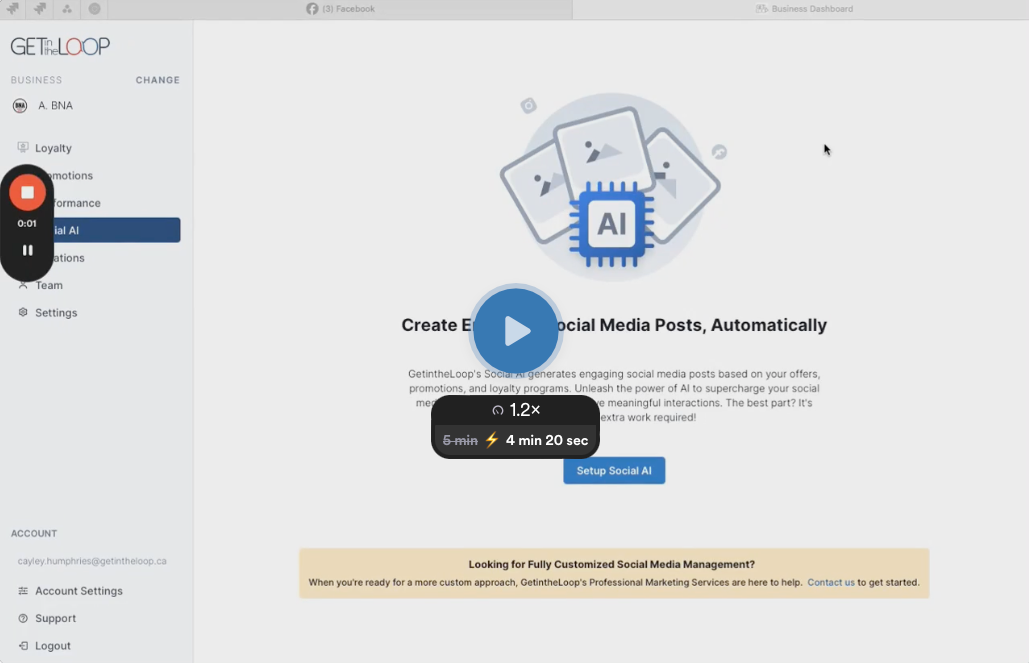
Confirm Requirements for Success
- Confirm they have necessary social media account access & are signed in. Linking accounts requires admin access. See Social Account Requirements below for more details.
- Ensure the business has at least 3 good offers, ideally 5+ in order to get Social AI variety in the posts
Upgrade to Social AI & Connect Social Accounts
- Through the Business Dashboard, upgrade them to a plan that includes Social AI (Social AI or Premium)
- Connect social accounts via the Social AI tab
- Talk them through what to expect
- How & when Social AI generates content
- Review notification and edit / cancel post process
- Set expectations on live offers → posts per week
- Review live offers and ensure they’re setup for success
Social AI uses Meta's APIs to post automatically to social accounts. These require specific access, and in the case of Instagram, specific account settings. These are Meta's requirements, and are the same for all 3rd party social media tools.
- The page must not be new. Facebook & Instagram do not allow you to connect to new accounts.
- Their personal Facebook profile must have an Admin role for that Facebook Page they wish to connect.
- Only Instagram Business or Creator accounts connected to a Facebook Company Page are supported.
- How to enable Instagram Business / Creator on your Instagram account: https://www.facebook.com/business/help/502981923235522
- How to connect an Instagram account to a Facebook Business Page: https://www.facebook.com/business/help/898752960195806
FAQ
How many posts per week can a Business expect?
The number of posts per week is dependent on live offer content. We aim for 2 posts and 3 stories per week if the business has 5+ offers live. Less live offers means less posts & stories.
What dates and times are posts scheduled for?
Posts and stories are scheduled randomly, to appear more organic. They will pick any day between Mon - Sun, between 9am and 6pm, in the timezone of the business’s first location. The timezone cannot currently be changed.